Services›Cloud›Virtual Machines
Secure every virtual machine.

Virtual Machine Security

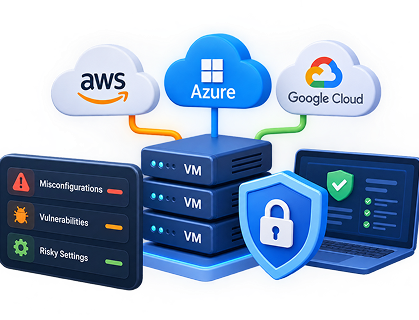
Continuously detect misconfigurations, vulnerabilities, and risky settings across your virtual machines in AWS, Azure, and GCP — before attackers exploit them.
Virtual Machine Security
Virtual machine security risks
The problem

Virtual machines are a major attack surface.

Most cloud breaches still start with poorly configured virtual machines — open ports, weak credentials, missing patches, or excessive permissions. As the number of VMs grows across accounts and regions, manual reviews become impossible and risky configurations slip through.
One operating picture

One scan. Complete VM visibility.

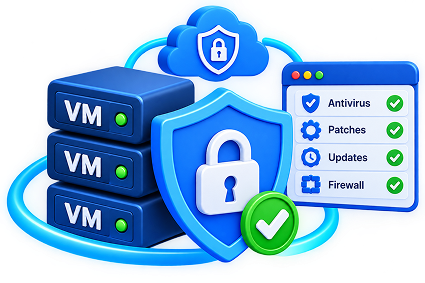
MadStack continuously monitors your virtual machines for security risks and misconfigurations, so your team can fix issues before they become incidents.
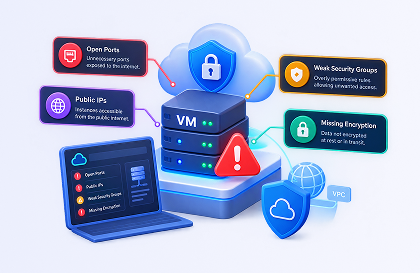
Detect misconfigurations

Detect misconfigurations

Find open ports, public IPs, weak security groups, and missing encryption on every virtual machine.

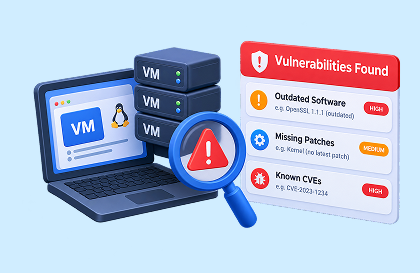
Identify vulnerabilities

Identify vulnerabilities

Surface outdated software, missing patches, and known CVEs running on your virtual machines.

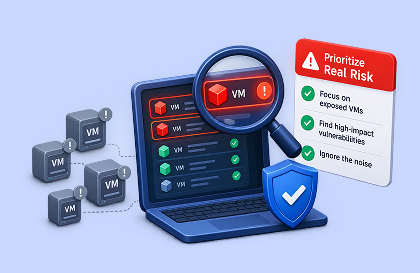
Prioritize real risk

Prioritize real risk

Focus on the VMs that are actually exposed and high-impact — not just noise.

✦ What gets detected

Findings, ranked by what matters.

Prioritized by exposure, criticality of the workload, and potential blast radius — so you fix the most dangerous issues first.

◈

Critical

Publicly exposed VMs with open management ports or known critical vulnerabilities.

◷ Isolate & patch now
!

High

Missing security patches, weak network rules, or excessive IAM permissions.

◷ Remediate this week
↗

Medium

Outdated agents, disabled logging, or non-critical configuration issues.

◷ Plan & monitor
Sample finding

Evidence your team can act on.

Live output from the MadStack scanner — exact VM, issue type, and recommended action.

Resource
prod-api-server
Issue
Open SSH Port (0.0.0.0/0)
AWS · i-0a1b2c3d4e5f67890
{
"resource": "i-0a1b2c3d4e5f67890",
"name": "prod-api-server",
"issue_type": "Open SSH Port (0.0.0.0/0)",
"severity": "Critical",
"action": "Restrict SSH access to trusted IPs"
}
FAQ illustration
FAQ

Questions, answered.

We support virtual machines across AWS (EC2), Microsoft Azure (Virtual Machines), and Google Cloud (Compute Engine), including multi-account and multi-region setups.

Yes. We check for insecure configurations (open ports, public exposure, missing encryption) as well as known vulnerabilities and missing patches on the operating system and installed software.

You can enable continuous monitoring or scheduled scans. Most teams use continuous scanning so new risks are detected within minutes of being introduced.
More in Cloud

Explore More Cloud Security

Dive deeper into cloud security, from identity and access management to continuous compliance and workload protection.
Cloud Misconfigurations

Cloud Misconfigurations

Detect insecure cloud configurations before they become breaches.

IAM Security

IAM Security

Detect overly permissive roles and privilege escalation paths.

Workload Protection

Workload Protection

Secure containers, serverless, and virtual machines across your cloud.

Ready when you are

Secure every virtual machine. Before it’s too late.

Virtual Machines CTA